Every patient's imaging, organized
without a server to maintain.
LabKeep Scans opens whatever a patient hands you on disc, files it under their own record, and gives you the measurement tools a free viewer usually doesn't: live Hounsfield readout, calibrated distance and ROI stats. Unlimited records. Your scans never go to the internet or to our server.
Free · v0.1.0 · 106 MB · Windows 10 / 11 · 64-bit
Windows shows a SmartScreen warning — why, and what to clickSetting this up for a household instead? See the home page.
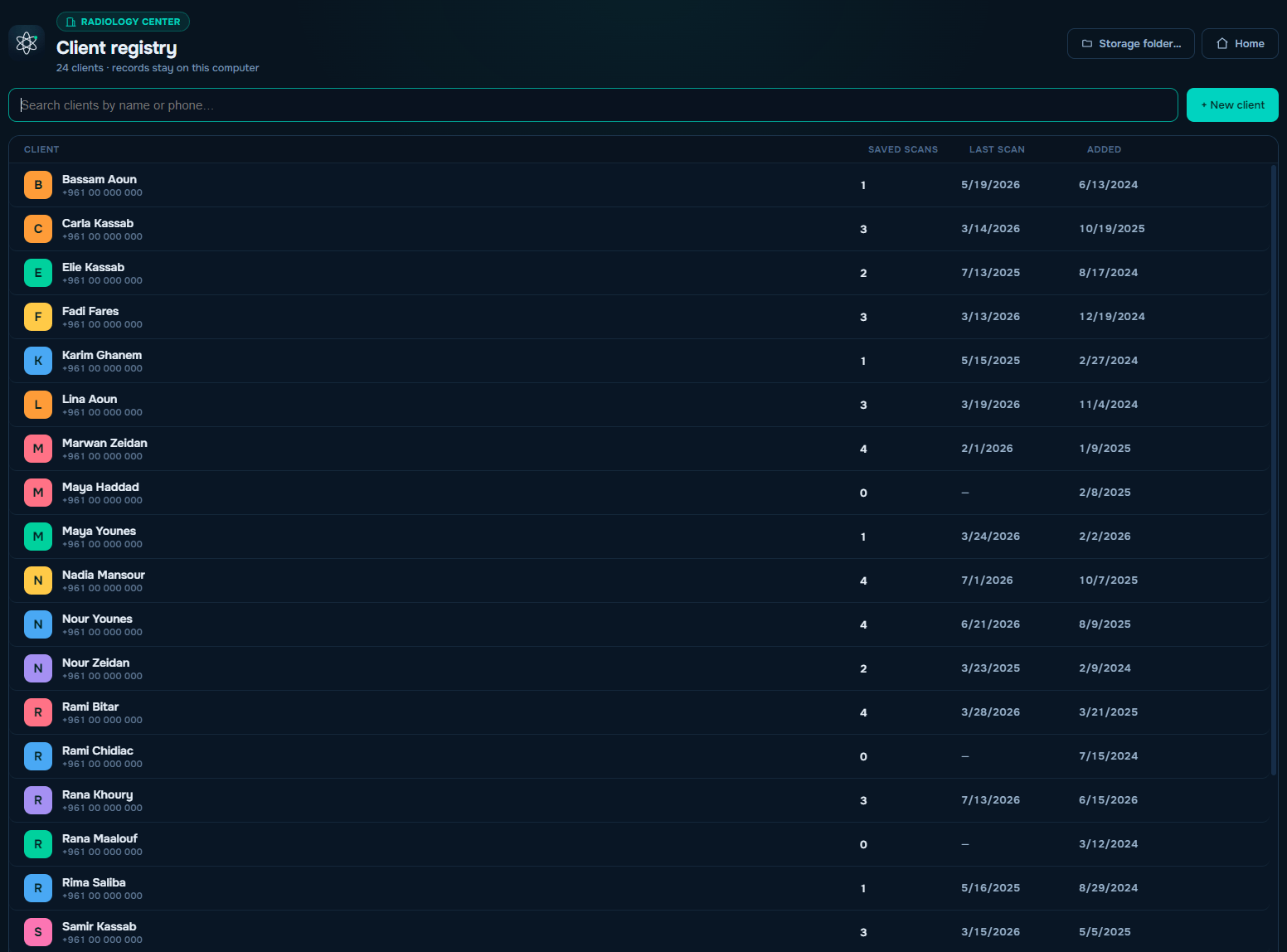
The app opens on an mode screen — Personal, Radiology center, Doctor. Each keeps a fully separate store, so a practice's client registry never mixes with anyone's family scans. One installer, one machine, three walled record sets.
Patient & client registry
The workflow a free viewer usually skips.
Doctor mode calls them patients; Radiology center mode calls them clients — same engine, correct wording either way.
- Full-page worklist: name, saved scans, last scan, date added
- Live search by name or phone
- Quick intake: name, phone, date of birth, sex, color tag, free notes for referrals or allergies
- Record view: demographics with computed age, scan count, notes — edit anytime
- Optional 4-digit PIN per record
- Every saved study files under its person — open the record, see their whole imaging history with thumbnails
The disc workflow
Built for the disc a patient actually hands you.
The patient hands you a disc
Windows AutoPlay offers to view the medical scans the moment it mounts. LabKeep Scans' own disc watcher catches it too, if AutoPlay is off.
Copy first, if you want
Reading a whole study straight off an optical drive is slow, so it offers to copy the study across first. It only files the copy under the patient's record once every byte is confirmed down — never a partial copy passed off as complete.
Every series, sorted
Junk files on the disc are skipped, multi-series and multi-study discs are split correctly, and a thumbnail picker shows exactly what's on it before you open anything.
Professional tools only
Numbers a free viewer should have had from day one.
Gated to Doctor and Radiology center mode. Personal mode doesn't get these — that's deliberate, not a missing feature.
- Live Hounsfield readout under the cursor on CT — labeled HU only where HU is true; MR and ultrasound show an honest “Value”
- Distance in mm, calibrated from PixelSpacing, ImagerPixelSpacing (flagged as detector-plane), or SequenceOfUltrasoundRegions for ultrasound
- Elliptical ROI: area in mm², mean ± SD, min/max
- Angle tool, keyboard shortcut A
- Select and delete per measurement; annotations stay glued to their slice through zoom and pan, and are never baked into exports
- An uncalibrated image reports pixels in amber — never a confident wrong millimetre
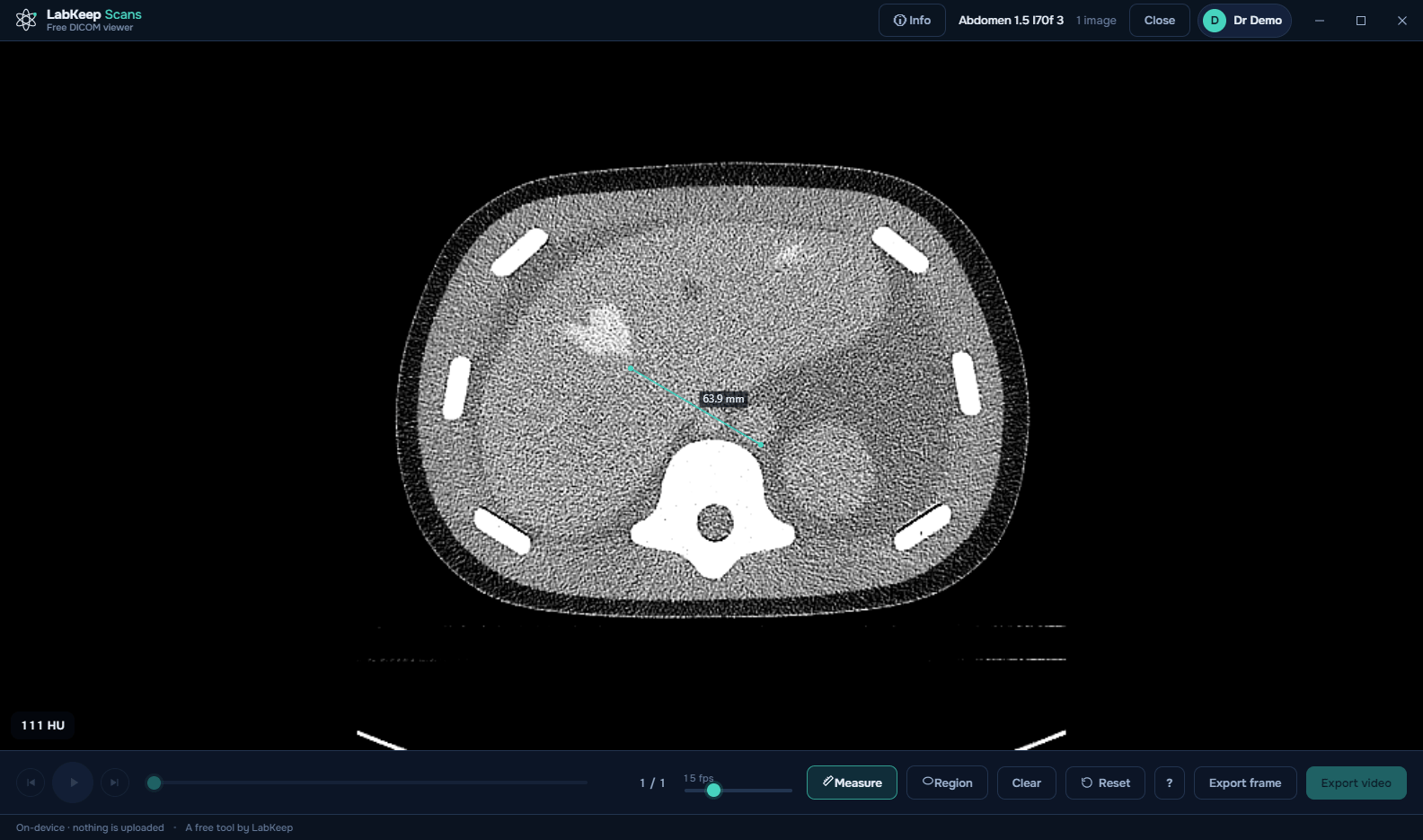
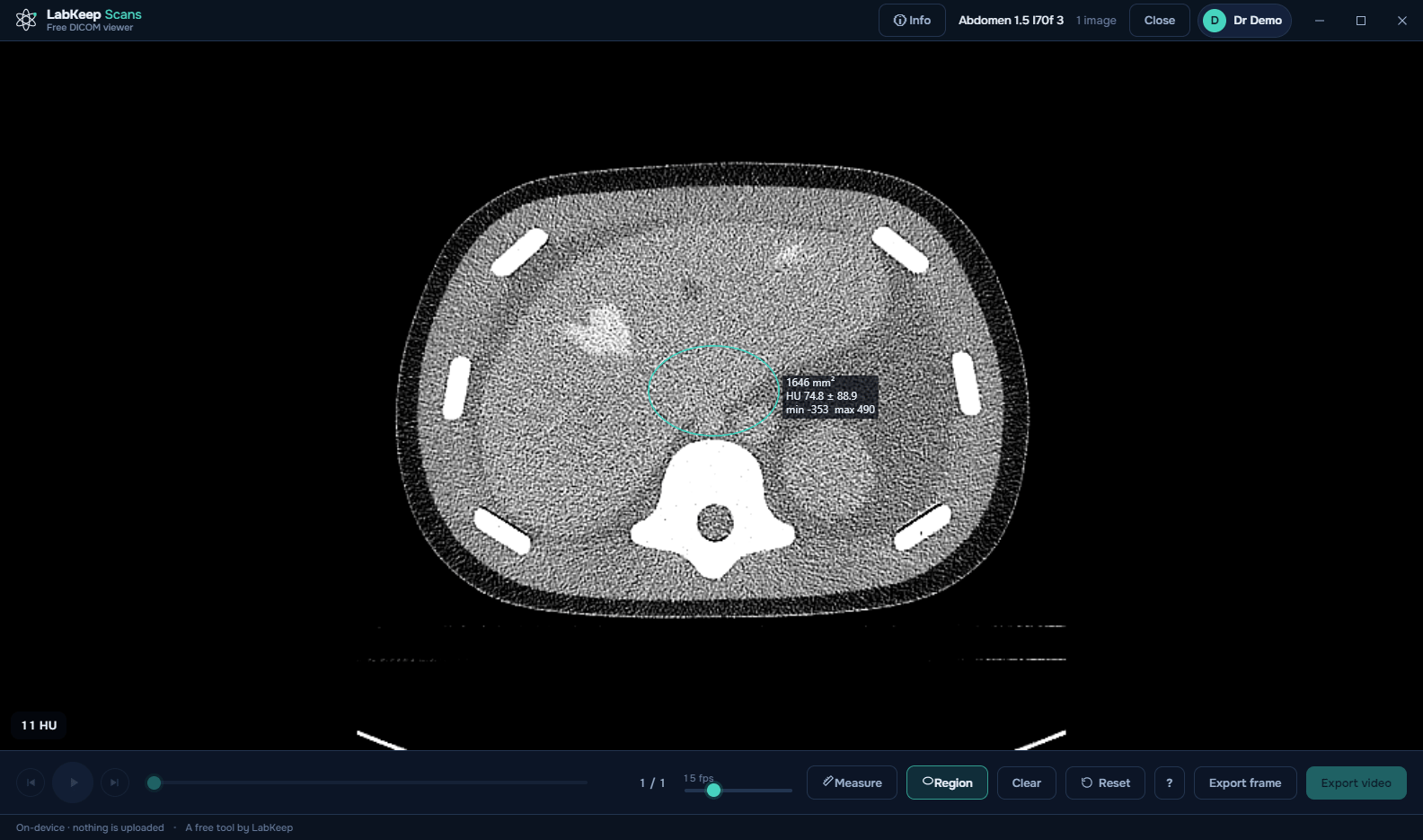
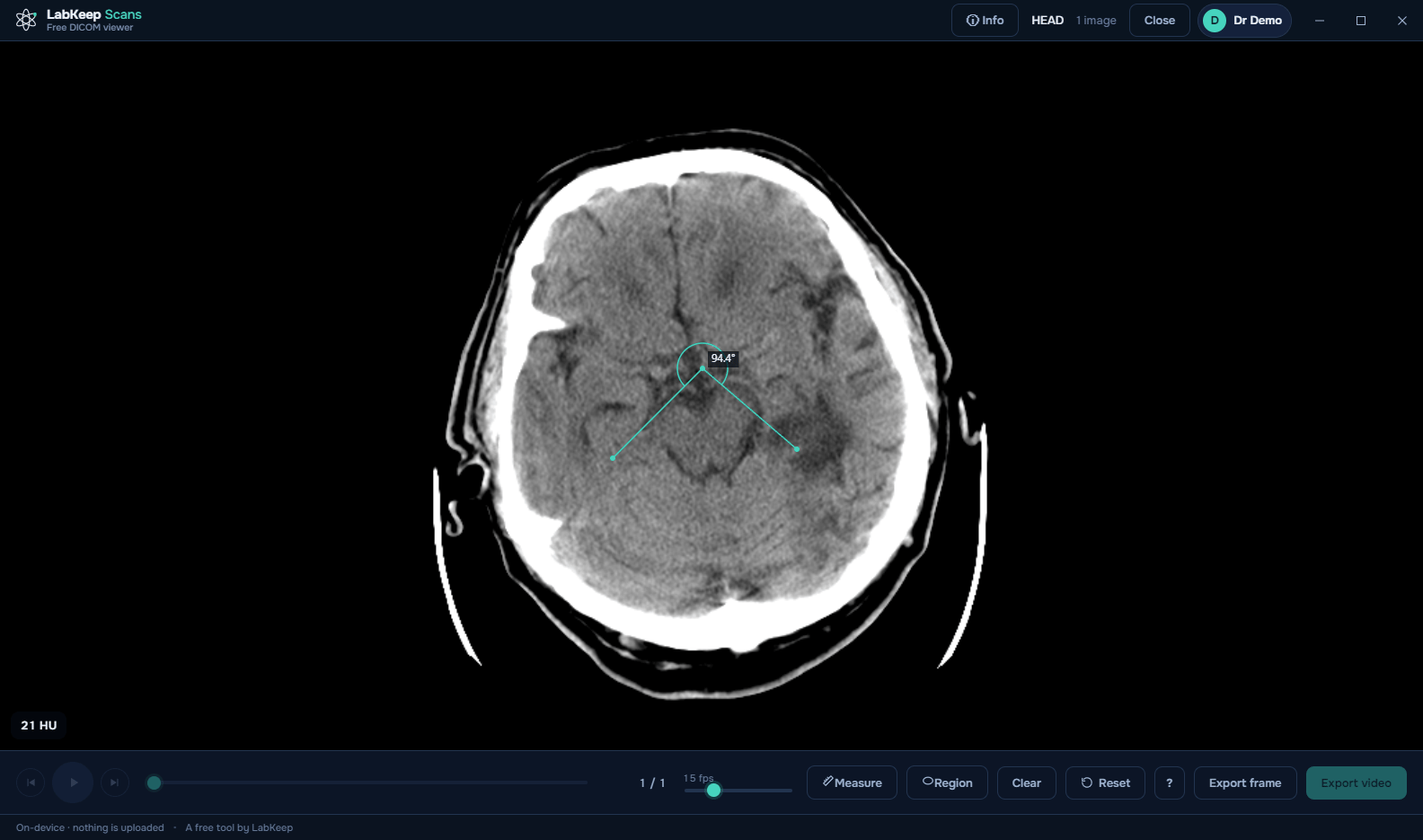
Measurement geometry and density values verified against real clinical CT studies.
Format support
Reads what actually comes out of a scanner.
Including Explicit VR Big Endian archives from a decade-old Philips or Siemens system, and preamble-less exports off Toshiba CT that most tools flatly refuse to call “DICOM” at all. Color — PALETTE COLOR for color Doppler, the full YBR family — is verified by pixel-exact comparison against a conformance set, not by eye.
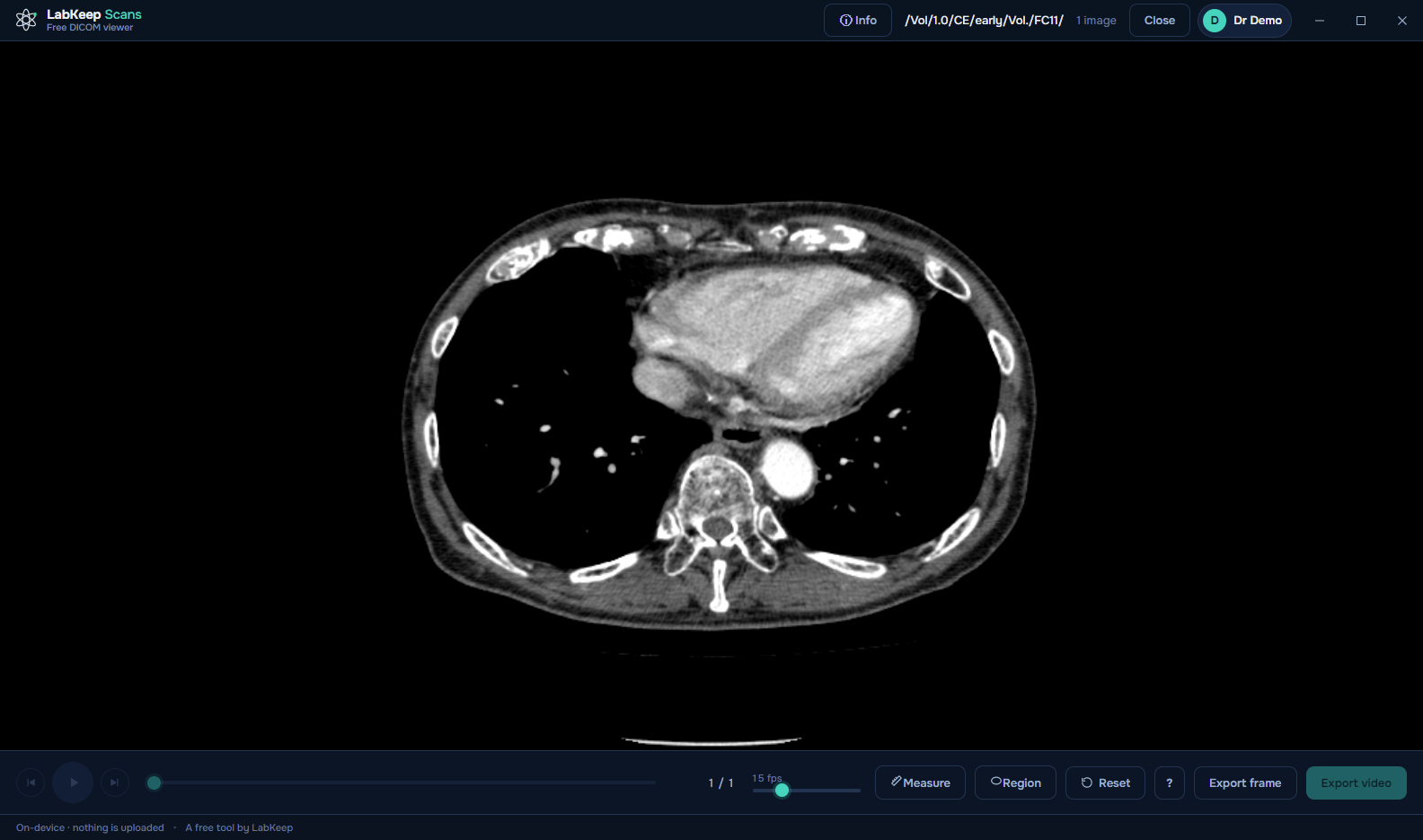
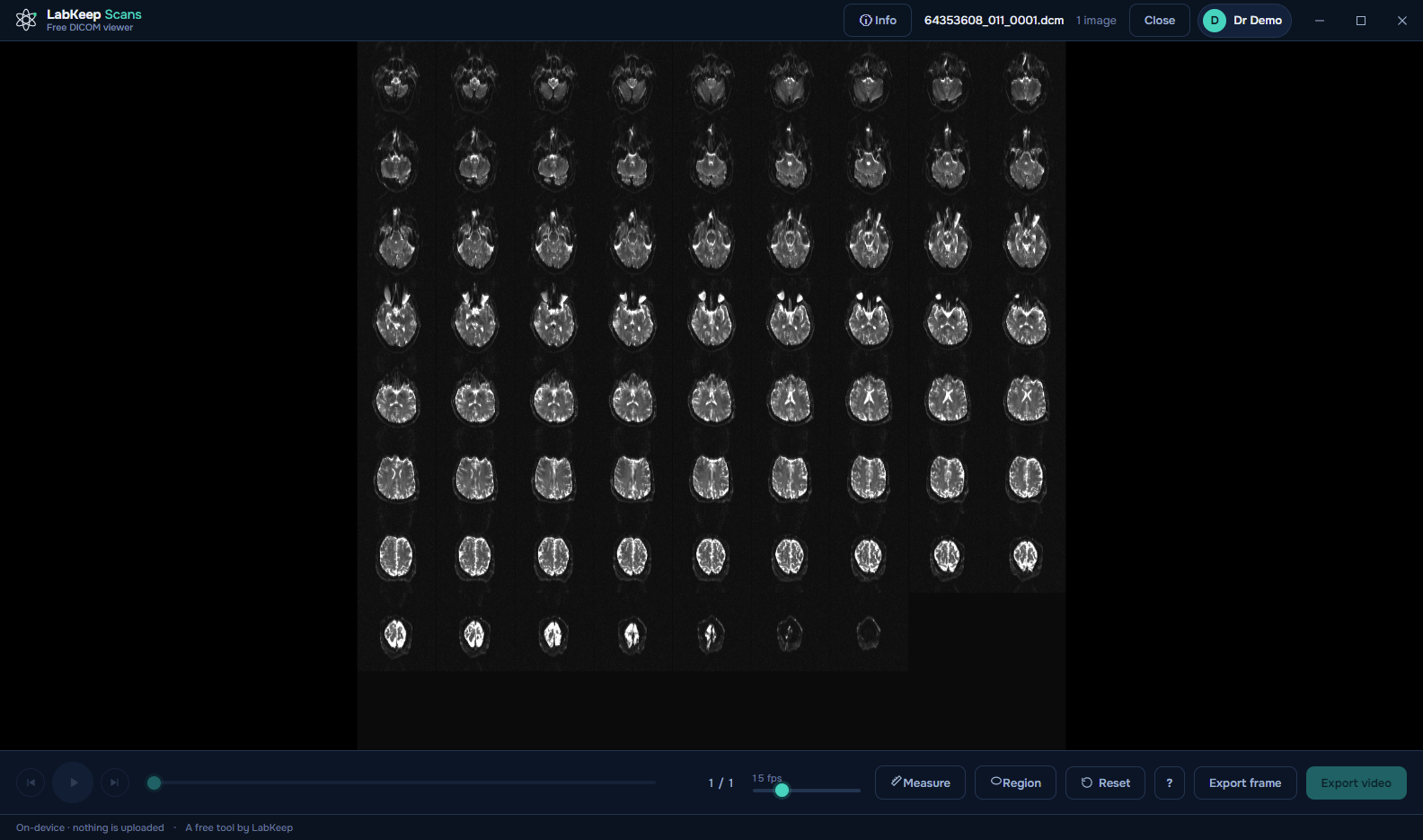
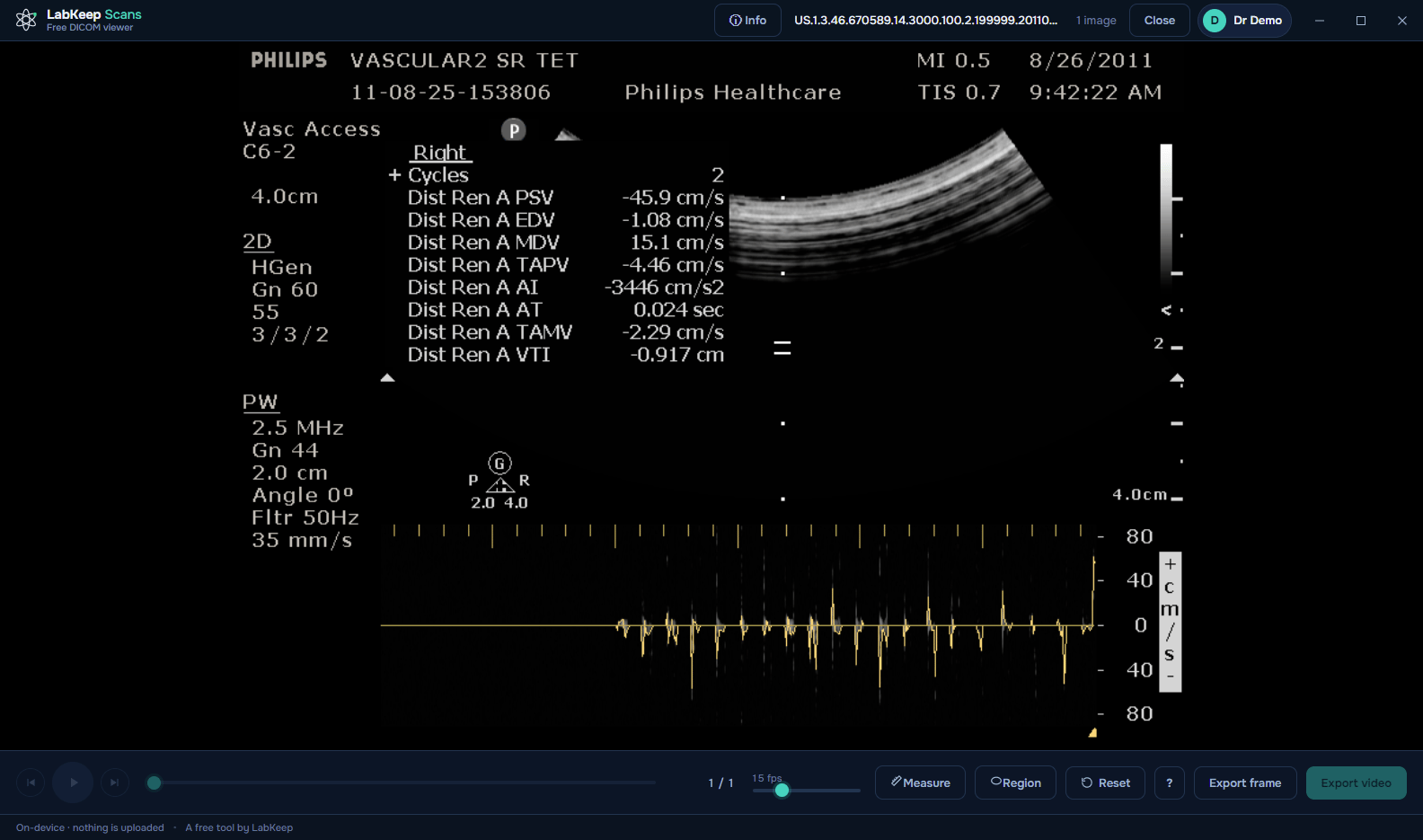
Exercised against tens of thousands of files from public vendor test sets. An unsupported format is refused by name, never silently.
Running it day to day
Built to sit in a practice, not just a demo.
Your storage, your choice
Point the record library at any local drive or network share. Moving it later goes through a safe, tested migration — nothing is ever left half-copied.
Export for referrals
A single frame as a PNG, a cine loop as an MP4 — ready to attach to a referral letter or a teaching file.
Radiology overlay, your call
Patient, study and technique corners plus L/R/A/P orientation markers, on by default and one click away from a clean frame.
Never sent to the internet
No telemetry, and your scans never go to the internet or to our server. A record can carry an optional 4-digit PIN — a lock on the file, not encryption. Your records stay on your own machine.
Your computer will warn you the first time
Neither build is code-signed yet, so both operating systems flag it. That means the file is new and unsigned — not that anything is wrong with it. A signing certificate is on the list; LabKeep Scans is free, and certificates are not.
Windows
SmartScreen shows “Windows protected your PC”. Click More info → Run anyway.
macOS 15 (Sequoia) and later
A double-click is blocked outright. Open System Settings → Privacy & Security, scroll down to “‘LabKeep Scans’ was blocked…”, click Open Anyway, authenticate, then confirm Open Anyway.
macOS 14 (Sonoma) and earlier
Right-click (Control-click) the app → Open → Open. Apple removed this shortcut in macOS 15, so newer systems need the steps above.
Free for your practice, and it stays that way.
No account, no trial, no per-seat cost, no upsell inside the app.
Free · v0.1.0 · 106 MB · Windows 10 / 11 · 64-bit
Windows shows a SmartScreen warning — why, and what to clickThe Mac download is one universal build — it runs natively on both Intel and Apple Silicon.
Neither build is code-signed yet, so both platforms show a first-run warning — here's what to click. Free to use, and staying that way — you can support the project if it helped.
LabKeep Scans is a viewing, organization and measurement tool, not a diagnostic device. It is not certified for primary image diagnosis and carries no CE or FDA clearance — always rely on the report from your radiologist.